
Supplier Items
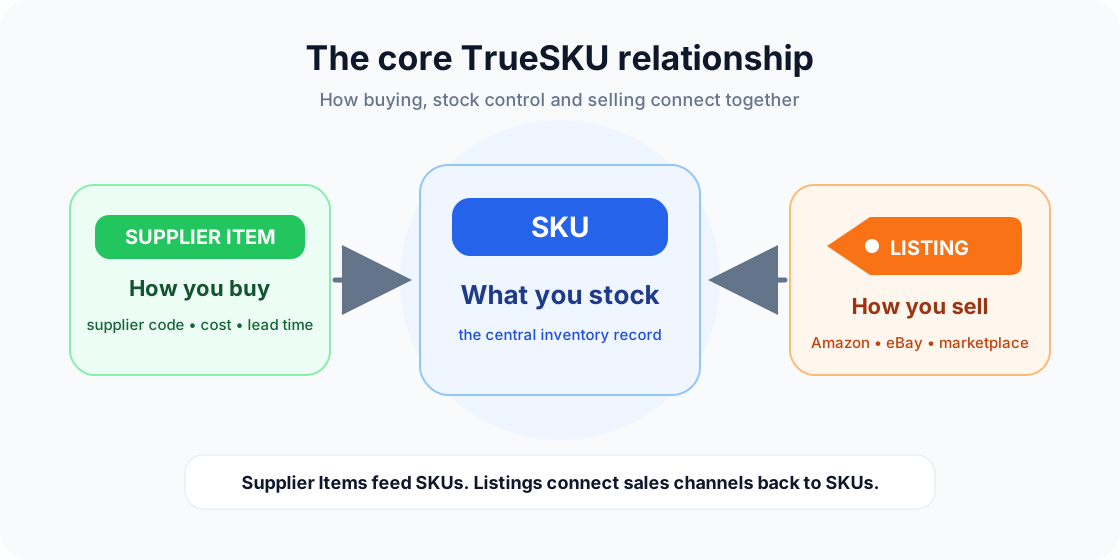
Supplier items describe how you buy stock. They are purchase options and supplier catalogue records. Once linked, they tell TrueSKU how purchase orders should increase SKU stock.
How supplier items fit in
A single SKU can have several supplier items if you can buy the same stock from more than one supplier. Supplier items can store supplier order codes, descriptions, barcodes, locations, unit costs, tax rates, pack sizes, minimum order quantities and lead times.
Linked vs unlinked supplier items
| Type | Behaviour |
|---|---|
| Linked to SKU | Receiving stock through a purchase order increases the linked SKU stock. |
| Unlinked | Can be imported and prepared before you create or choose the SKU it should replenish. |
Importing supplier items
Supplier item CSV imports are normally run from inside a specific supplier page. That means you usually do not need to know the internal Supplier ID.
| Column | Use |
|---|---|
order_code | The supplier's code for the item. Within the current supplier, this is the main human-friendly identifier. |
supplier_name | Optional safety check. If supplied, it must match the supplier page you are importing into. |
supplier_id | Optional internal ID. Useful in exports/reimports, but not normally needed when importing from a supplier page. |
supplier_item_id | Optional internal item ID. If supplied, TrueSKU updates that exact supplier item for the current supplier. |
barcode | Optional barcode, EAN, UPC, GTIN or internal scan code. |
location | Optional shelf, bay, bin, aisle or picking reference. |
tax_rate | Use numeric values such as 20, 5 or 0. Do not include the percent sign. |
supplier_item_id is supplied, TrueSKU updates that item. Otherwise it updates by current supplier + order_code. New order codes create new supplier items.Creating SKUs from supplier items
If your supplier spreadsheet is the cleanest source, you can import supplier items first and then create SKUs from them. TrueSKU uses the supplier item order code as the SKU code. Barcode and location are copied to the new SKU. If linking to an existing SKU, barcode and location are copied only when the SKU field is empty.
Splits
Splits are used when buying or receiving one supplier item creates stock for one or more other items. Use them only where the real purchasing process needs it.
Splits vs bundles
| Feature | Meaning | Example |
|---|---|---|
| Split | Buying/receiving one supplier item produces other stock items. | Receive a mixed carton and add stock to several child SKUs. |
| Bundle | Selling one SKU consumes several component SKUs. | Sell a gift set made from a mug, coaster and box. |
Importing supplier items from CSV
Supplier item imports are usually run from a supplier's own item page. In that case, you do not normally need to know the Supplier ID. TrueSKU already knows which supplier you are importing into.
| Column | Meaning |
|---|---|
order_code | The supplier's product/order code. This is the normal human-friendly identifier for supplier item imports. |
supplier_item_id | Internal TrueSKU row ID included in exports for exact re-imports. Useful, but not required for normal template imports. |
supplier_id | Internal TrueSKU supplier ID. Mainly useful for exports, API work or support/debugging. |
If supplier_item_id is present, TrueSKU can update that exact supplier item. Otherwise it updates by order_code within the current supplier.
Barcode and location
Supplier items can store barcode and location values. When you create a new SKU from a supplier item, TrueSKU copies useful values such as barcode and location onto the new SKU where available.
VAT/tax rate
Use numeric values in CSV files: 20 for 20% VAT, 0 for zero-rated items and 5 for 5% VAT.
For full import/export rules, see CSV Imports & Exports.