
Quick start
Use this guide to choose the right setup route and get TrueSKU into a usable state without accidentally syncing bad stock figures.
Watch: Understanding SKUs, Supplier Items and Listings
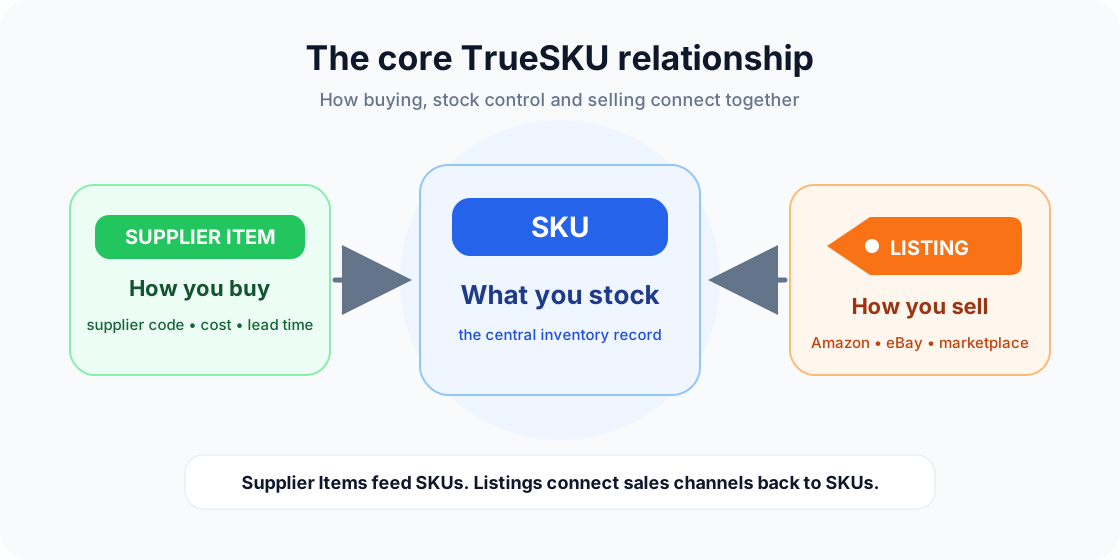
New to TrueSKU? Start with this short introduction. It explains the core relationship between the records you buy, stock and sell.
The core relationship
TrueSKU is built around three key records. Once these make sense, the rest of the system becomes much easier to understand.
Choose your setup route
Best if your marketplace SKUs/listings are already clean. Import or mirror listings, create or link SKUs from listings, then add supplier items later.
Best if your supplier spreadsheets are cleaner than your channel listing data. Import supplier items, create SKUs from supplier items, then link listings to those SKUs.
Use both approaches gradually. Create the most important SKUs first, link high-volume listings, then fill supplier purchase options as you go.
Bulk setup with CSV files
If you already have supplier spreadsheets or a SKU list, CSV import/export can save a lot of time. SKU imports update existing SKUs by SKU code. Supplier item imports update by Supplier Item ID when present, otherwise by supplier order code within the current supplier.
Safe setup order
This may be listings, supplier items, or SKUs depending on how your business is already organised.
Every item you want to count, replenish or sync should eventually have a SKU.
Only linked listings can safely take stock quantities from TrueSKU.
Receiving a purchase order can only increase SKU stock when the supplier item is linked to the SKU.
Do not turn stock sync on until you are happy that listings point to the right SKUs.